Anyone who has built teaching material for sign language knows the routine. You find a clear video of a sign, a classifier, or a short dialogue, and you want a local copy you can annotate, slow down, and play in a classroom with no reliable Wi-Fi. Then you search for a video downloader and land on a page where the real button is hidden between three fake ones, a pop-up asks you to install something, and a banner follows you down the screen. For a site about sign language dictionaries, where visual clarity is the whole point, that kind of advertising clutter is a daily irritation, not a minor one.
This article looks at one alternative, a free browser-based downloader called EzyDownload, from a narrow angle: a teacher or content maker who needs lawful reference copies and wants a tool that stays out of the way. I compare it with the general category of downloader sites, including SaveFrom.net, Y2mate and SnapInsta, on three practical points: how short the path is, how much advertising you face, and which formats you can get.
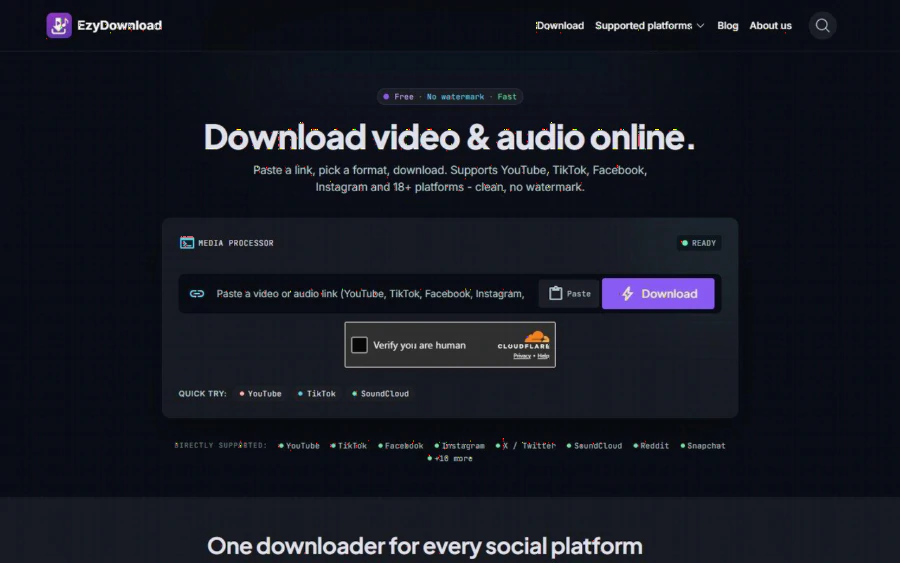
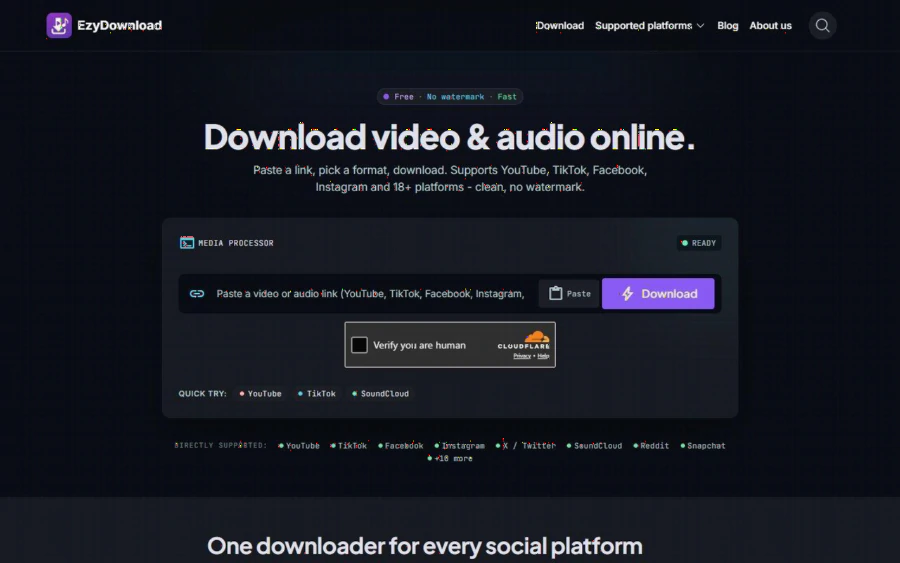
EzyDownload home page with a single link box, a Download button, a Cloudflare human check and a list of supported platforms
The real problem: lawful copies, hostile pages
Let me be clear about scope first. A downloader is only appropriate for material you have the right to keep: your own recordings, clips from a Deaf community partner who has given you written permission, videos under a license that allows reuse, or public-domain material. If you do not have that right, do not download it, and the better route is to link to the original or ask the creator. EzyDownload itself says on its page, "Please respect the copyright of the source platform," and the tool cannot fetch private, paywalled or DRM-protected content.
Within that boundary, the pain is mostly about friction. A sign language teacher typically wants three things from a reference clip:
- A format that plays everywhere, usually MP4, so it opens on a school laptop, a tablet and a projector.
- Enough resolution to read handshape and facial expression. A blurry 240p copy is nearly useless for this purpose.
- A process that takes seconds, because you may be collecting dozens of short clips for one unit.
Most of the time lost is not in the download itself. It is in dismissing overlays and working out which button is genuine.
What EzyDownload does
According to the home page, you paste a link, pick a format and download. It says it supports more than 18 platforms, with YouTube (including Shorts), TikTok, Facebook, Instagram, X and SoundCloud listed as active, plus others such as Reddit, Snapchat, Threads, Dailymotion and Streamable. The listed formats are:
- Video: MP4 (H.264) and WebM (VP9), with options up to 4K, and 1080p, 720p and 480p/360p in between. Up to 60 fps is offered when the source has it.
- Audio: MP3 and M4A at 320, 192 or 128 kbps, with title, artist and cover art added as metadata.
- Watermarks: the page says platform logos and dynamic watermarks, such as TikTok's, are removed at the stream level.
Two details matter for teachers. First, 60 fps support, when the source provides it, helps with fast fingerspelling, where lower frame rates can blur transitions. Second, the page notes that some high-resolution sources deliver video and audio as separate streams, and you may need to merge them yourself with a tool like HandBrake or FFmpeg. That is an honest caveat, and it means a 4K file will not always arrive as a single ready-to-play clip.
The site also states it needs no sign-up, login, email or card, and that media is streamed from the source to your device, with no files stored on its servers. Those are the vendor's own statements on its home and About pages. I have not audited them independently, so treat them as claims, not guarantees.
Comparing it with other downloader sites
I did not run a side-by-side lab test of SaveFrom.net, Y2mate and SnapInsta, so I will not put numbers on their ad load or speed. What I can do is lay out the criteria and tell you what EzyDownload's own pages say about each. Check the others yourself in a clean browser profile; it takes about ten minutes.
| Criterion | What to check on any downloader | EzyDownload (per its own pages) |
|---|---|---|
| Steps to a file | Count clicks from paste to saved file | Paste, choose MP4 or MP3 and quality, download |
| Advertising | Pop-ups, fake buttons, redirect tabs | States no pop-ups and no fake download buttons |
| Account | Sign-up or email required? | None required |
| Video quality | Highest listed resolution, fps | Up to 4K, up to 60 fps when available |
| Audio | Bitrate choices | MP3 and M4A, 128 to 320 kbps |
| Scope | Platforms covered | 18+ listed platforms |
| Cost | Free, freemium or paid tier | Free, no paid plan |
Some of the older tools are narrower by design. SnapInsta, for example, is known mainly for Instagram content, so a single site that also handles YouTube and Facebook links can mean fewer bookmarks. That is a convenience, not a quality claim. Where the others may win is in track record and name recognition, and in features I have not verified. EzyDownload's strongest argument is the short, uncluttered path, and its weakest is that it is a newer, smaller name with little public review history.
One more item worth knowing: the site does carry promotion. The home page advertises Tinee AI, a separate content creation and dubbing platform, and says sponsor links are user-submitted. That is advertising, though it sits apart from the downloader itself. It is the kind of thing to look at with your own eyes, since "no shady ads" is a judgment, not a measurement.
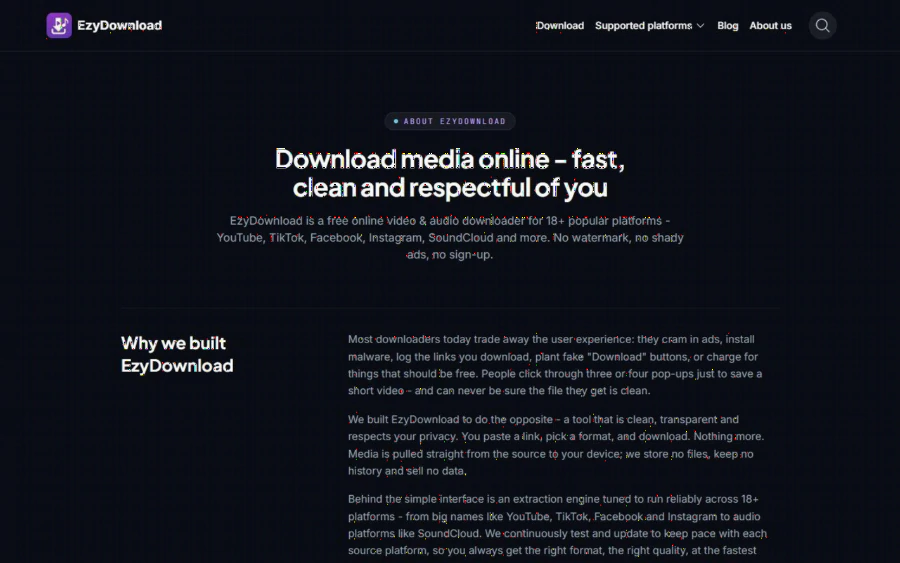
EzyDownload About page explaining why the tool was built: clean, transparent and no sign-up
Strengths and limits, plainly
Strengths. Free with no account. A short three-step flow. Broad platform list. MP4 up to 4K and 60 fps where the source allows. Audio extraction with bitrate choice, handy if you also need to pull a spoken interpretation track. No software to install, and it works in desktop and mobile browsers.
Limits. It cannot fetch private, login-protected, paywalled or DRM content, so classes behind a learning management system are out. High-resolution files may come with separate audio and need merging. There is a human-verification check on the home page, as the screenshot shows, which is a small step on every download. Support for any single platform depends on that platform not changing its structure, and the About page itself says the service has to be continuously updated to keep pace. And the legal risk is yours: the tool does not decide whether you may keep a clip.
Who should use it, and who should not
It suits teachers, interpreter trainers and content makers who need quick offline copies of material they own or are licensed to use, and who would rather not fight a page full of overlays. It also suits people compiling audio-only practice tracks from their own recordings.
It does not suit anyone planning to repost other creators' sign language videos without permission. Deaf creators put real work into this material, and in many communities consent and credit matter well beyond the legal minimum. It is also a poor fit if you need an archive with metadata, version history or batch processing; a dedicated media library or the platform's own download feature for creators will serve you better.
How to start
1. Gather clips you are entitled to keep, and note the license or permission for each in a simple spreadsheet.
2. Open the tool, paste one link, and pick MP4 at 1080p or higher for clear handshapes.
3. Play the saved file once, at normal speed and at 0.5x, to confirm that fingers and face stay sharp.
4. Name files consistently, for example by sign, region and date, so your unit plan can reference them.
5. If you want to know who runs the tool before relying on it, read the About page.
Start with a single clip and time it against the downloader you use now. If it saves you the pop-up hunt and the file plays cleanly, keep it in your toolkit; if not, you have lost two minutes.